Reception B - Miss Booth Class News

Class News
Latest articles
Spring 1 Week 1Miss Skelton and Miss Booth09 Jan 2026 Autumn 2 Week 7Miss Skelton19 Dec 2025 Autumn 2 week 6Miss Skelton and Miss Booth12 Dec 2025 Reception Autumn 2 Week 5Miss Skelton and Miss Booth05 Dec 2025 Reception Autumn 2 Week 4Miss Skelton and Miss Booth28 Nov 2025 Reception Autumn Week 3Miss Booth Miss Skelton21 Nov 2025 Reception Autumn 2 Week 2Miss Booth Miss Skelton14 Nov 2025 Reception Autumn 1 Week 8Miss Booth and Miss Skelton24 Oct 2025 Autumn 1 Week 7Miss Booth Miss Skelton17 Oct 2025 Reception Autumn 1 Week 6Miss Booth10 Oct 2025 Reception Autumn 1 Week 5Miss Booth and Miss Skelton03 Oct 2025 Reception Autumn 1 Week 4The Reception Team26 Sep 2025 Reception Autumn 1 Week 3Miss Booth and Miss Skelton19 Sep 2025 Reception Autumn 1 Week 2Miss Booth and Miss Skelton12 Sep 2025
Archive
Articles 2024-25 Articles 2023-24 Articles 2022-23 Articles 2021-22 Articles 2020-21 Articles 2019-20
( LOGIN to comment on this article. )

Reception Autumn 1 Week 6

Mrs Divall - 12 Oct 2023

Another amazing week in Reception! 

This week in Maths, we have been learning how to create repeating patterns. We have created ABAB patterns and some of us have been working hard at creating ABC patterns! 

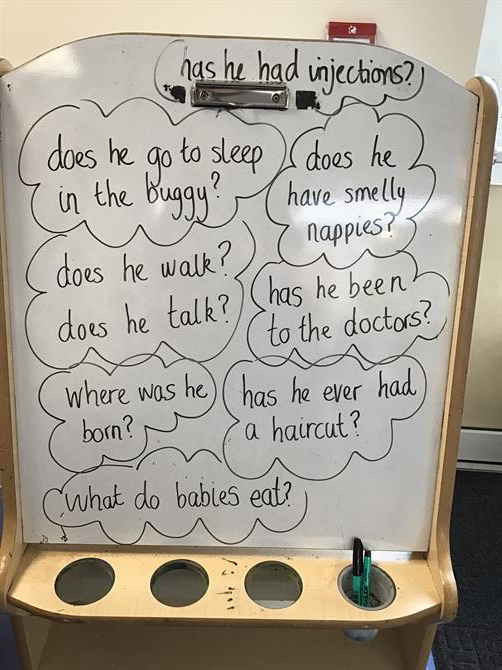
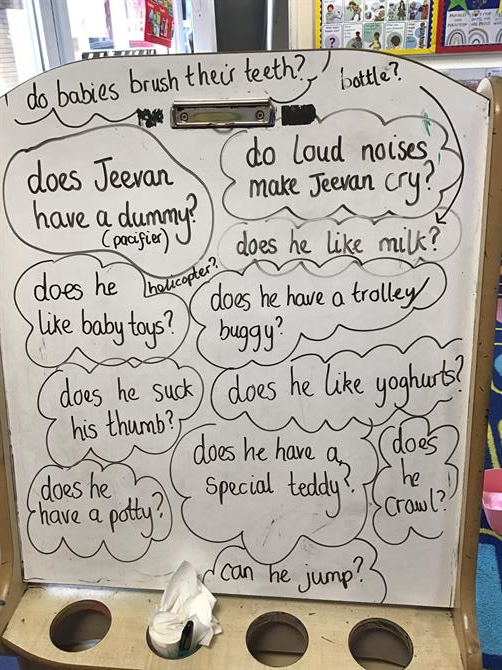
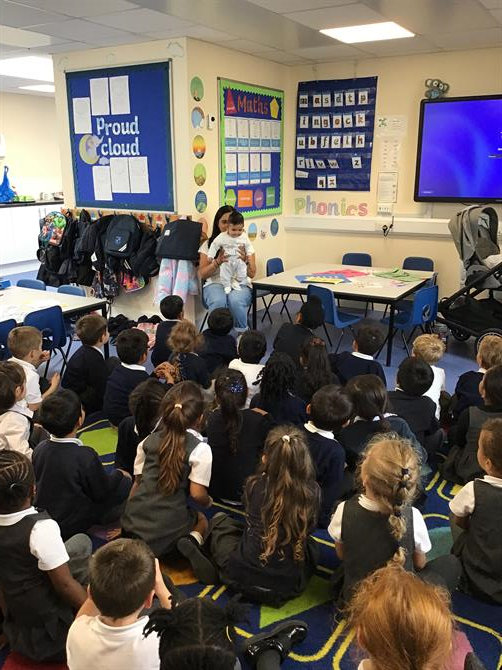
This week we continued our topic 'Me and My Community'. We had a very exciting visit form a very lovely mummy and her beautiful baby. Some of you may know her as Mrs Degun who is currently on maternity leave but is also a wonderful teacher at Brady. Mrs Degun came in to talk to us all about how to look after babies. She also told us all about the important people she met at the hopistal such as midwifes, doctors, nurses and many more. We came up with lots of questions to ask Mrs Degun and baby Jeevan and we are very thankful for their visit! 


COMMENTS
( LOGIN to comment on this article. )
No comments.


Please wait

Wennington Road
Rainham
Essex
RM13 9XA
Great Britain
Copyright © 2026   Brady Primary School
Website Design & Development for Schools By VisioSoft   |   T&C
User Guide   230  


Selct an hour and a minute and then click on Set Time

Selected Time:  _:_

Hours
Minutes
 
Set Time
CLOSE