Reception B - Miss Booth Class News

Class News
Latest articles
Spring 1 Week 1Miss Skelton and Miss Booth09 Jan 2026 Autumn 2 Week 7Miss Skelton19 Dec 2025 Autumn 2 week 6Miss Skelton and Miss Booth12 Dec 2025 Reception Autumn 2 Week 5Miss Skelton and Miss Booth05 Dec 2025 Reception Autumn 2 Week 4Miss Skelton and Miss Booth28 Nov 2025 Reception Autumn Week 3Miss Booth Miss Skelton21 Nov 2025 Reception Autumn 2 Week 2Miss Booth Miss Skelton14 Nov 2025 Reception Autumn 1 Week 8Miss Booth and Miss Skelton24 Oct 2025 Autumn 1 Week 7Miss Booth Miss Skelton17 Oct 2025 Reception Autumn 1 Week 6Miss Booth10 Oct 2025 Reception Autumn 1 Week 5Miss Booth and Miss Skelton03 Oct 2025 Reception Autumn 1 Week 4The Reception Team26 Sep 2025 Reception Autumn 1 Week 3Miss Booth and Miss Skelton19 Sep 2025 Reception Autumn 1 Week 2Miss Booth and Miss Skelton12 Sep 2025
Archive
Articles 2024-25 Articles 2023-24 Articles 2022-23 Articles 2021-22 Articles 2020-21 Articles 2019-20

Reception Week 2 Summer 1

29 Apr 2022

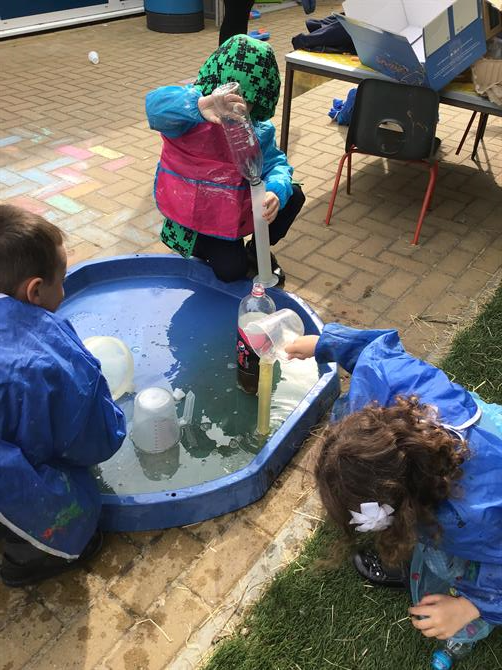
Wow, what a week! This week we were visited by an OFSTED inspector, the children in Reception were very keen to meet our visitor. The behaviour and attitude towards their work has been excellent this week, as it always is. We are so very proud of them. 

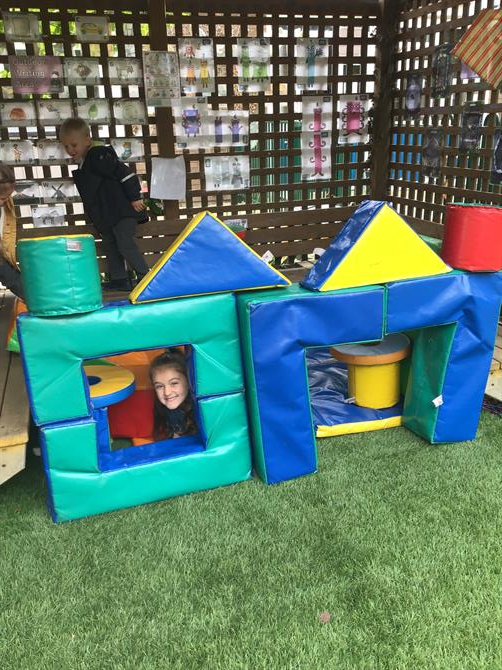
The children have thoroughly enjoyed acting out the Three Billy Goats Gruff outside using our climbing frame as the bridge. We acted it out so well and had lots of fun! Some children chose to write books about the fairy tales we have learnt so far and their writing has come along so so well. 

A big thank you for being so understanding about having to postpone the parental consultations at such short notice. These will resume next week- RD and RDZ on Tuesday 3rd May from 1pm. RDZ on Weds 4th May (AM only). If you are unsure of your appointment time please check with the office. 

Have a lovely bank holiday weekend x


Please wait

Wennington Road
Rainham
Essex
RM13 9XA
Great Britain
Copyright © 2026   Brady Primary School
Website Design & Development for Schools By VisioSoft   |   T&C
User Guide   228  


Selct an hour and a minute and then click on Set Time

Selected Time:  _:_

Hours
Minutes
 
Set Time
CLOSE